
Take bookings and show catches on your own fishery website
Two new PegPicker website widgets let fisheries take bookings and show their latest catch reports right on their own website, so members and anglers never have to leave.
 PegPicker26 November 2026 · 3 min read
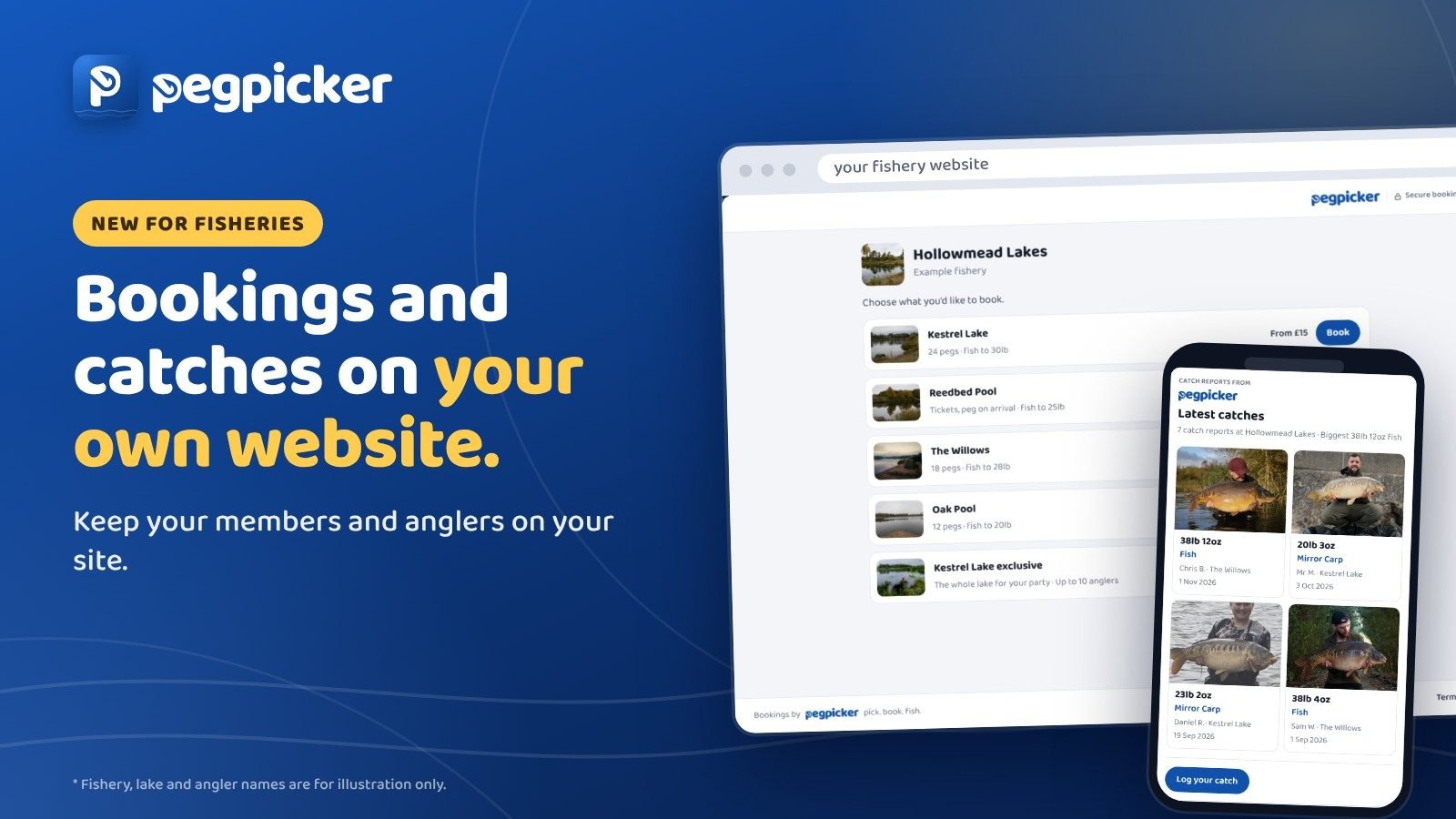
Your website is often the first place anglers look. They read about your lakes, check the prices and look at the latest fish. Until now, the moment they wanted to book or see more catches, they had to leave your site to do it.
Not any more. Two new PegPicker website widgets let you take bookings and show your catch reports right on your own fishery website. Your members and the anglers thinking of visiting stay on your site the whole time.
Why this matters
Every time someone leaves your website, there's a chance they don't come back. With the widgets, your site stays front and centre. Anglers browse your pages, book their session and see what's been coming out, all without leaving you.
- Your site, your brand. Anglers stay on your website from first look to booked.
- Fewer clicks to book. No hunting for a booking link. Tap Book now and it's there.
- Fresh content for free. New public catch reports show on your site by themselves, so it never looks out of date.
The booking widget
Add a Book now button to your website and your PegPicker booking opens in a full-screen window over your page. Anglers choose what they want, pick a date and book, just as they would on PegPicker. Close the window and they're right back where they were on your site.
- A floating button that sits in the corner of every page. Choose the words, the colour and which side it sits on.
- Or use your own buttons. Turn any button or link on your site into a booking button. Point it at everything you sell, or straight at one lake.
- Works however you sell. Peg bookings, tickets with pegs given out on arrival, exclusives and water craft all open in the same window.
- Safe card payments. When it's time to pay by card, the secure payment page opens in a new tab. Once it's paid, the booking window shows the confirmation.
The catch report widget
Nothing sells a fishery like the fish. The catch report widget shows your latest public catch reports on your own website, with the photo, weight, lake and date for each one.
- Grid or list. Big photos in a grid, or a neater list. Pick what suits your page.
- Choose how many, from one to 24, and show the whole fishery or just one lake.
- Always up to date. When a new public catch report goes on PegPicker, it shows on your site too.
- Gets anglers involved. A Log your catch button lets anglers add their own reports, and the widget links through to all your catches on PegPicker.
Only catch reports that are public on PegPicker are shown, so anything you've hidden stays hidden.
How to set it up
- Sign in to PegPicker Manage and go to Grow > Website widgets. Owners and managers can see this page.
- Choose your options for the booking button and the catch reports. There's a preview so you can see how it looks.
- Copy the code and paste it into your website. On Wix, Squarespace and most other website builders it goes in the custom code or embed setting.
Your widget code never changes, so once it's on your site you can leave it there.
On WordPress?
Download the free PegPicker plugin from the same page in Manage, upload it to WordPress and enter your widget code. Turn on the floating button with one tick, or drop these shortcodes into any page:
- [pegpicker_book] for a Book now button
- [pegpicker_catches] for your latest catches
Ready to try it?
The website widgets are ready to use now for every fishery on PegPicker. Head to Manage > Grow > Website widgets and you can have them live on your site in a few minutes. If you get stuck, get in touch and we'll help you set it up.
pick. book. fish.